
 Login
Login 

Guides
Workforce management app for Australian field teams — what to look for
By Humanz · 2026-06-16
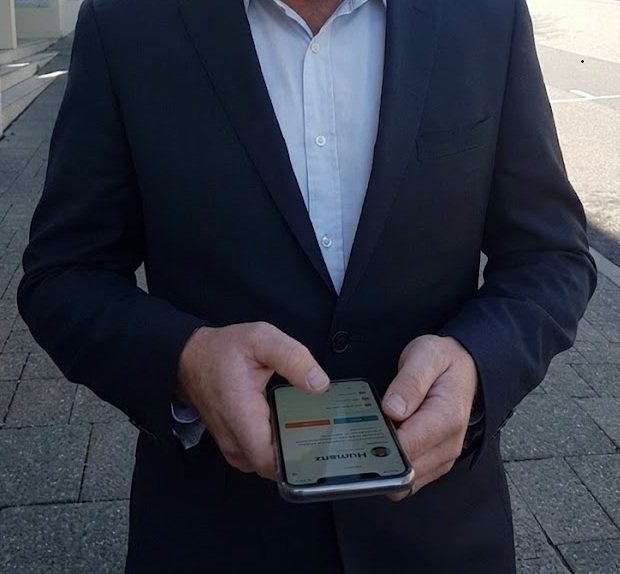
If your team works on-site rather than in an office, the workforce management app you choose will make or break your operations. A platform designed for retail rosters or hospital shift planning won’t cut it when you’re coordinating multi-site construction crews, FIFO swing rosters, and subcontractor bookings simultaneously.
This guide covers what a proper workforce management app should do for Australian field teams, the features that matter most, and why purpose-built tools outperform generic HR software in the field.
Why most workforce apps aren’t built for field teams
The workforce management software market is dominated by platforms built for predictable, desk-based or hospitality environments — fixed locations, stable shift patterns, and a limited number of worker types. For a café chain managing casual wait staff, that’s fine. For a trades business coordinating diesel fitters across three remote sites with varying swing rosters, it’s a poor fit.
Field workforce management has a different set of requirements:
- Workers are mobile, often in areas with poor connectivity
- Rosters are dynamic — last-minute callouts, shift swaps, and crew changes are the norm
- Worker types vary — direct employees, subcontractors, and labour hire may all be on the same job
- Compliance obligations differ by industry — WHS, fatigue, licences, and certifications all need tracking
- Communication needs to be job-linked, not just a group chat
Infrastructure Australia’s workforce planning research highlights that the construction and resources sectors face structural workforce complexity that generic software was never designed for. Australian field businesses — trades, construction, mining services, and field services — need a workforce management solution built around these realities, not adapted from them.
What a field-ready workforce management app must do
Mobile-first, not mobile-as-an-afterthought
The most important feature for a field workforce management app is genuine mobile functionality — not a cut-down version of a desktop dashboard, but a full-featured mobile experience that workers can use on-site, in a vehicle, or at a remote camp.
That means:
- Viewing and accepting shifts from a phone
- Submitting timesheets without accessing a browser
- Receiving shift notifications, change alerts, and fatigue warnings
- Completing digital forms — prestarts, safety checks, incident reports — directly from the app
- Accessing job briefs, site documents, and contacts without calling the office
If workers have to log into a desktop to do any of these things, the app isn’t built for the field. For businesses managing FIFO flights and accommodation alongside their roster, the mobile requirement extends further — workers need visibility of travel arrangements and site assignments wherever they are.
Real-time rostering and live availability
Field operations don’t run to a clean weekly schedule. A workforce management solution needs to handle:
- Last-minute shift coverage — when a worker calls in sick at 5am, you need to find a replacement fast. Live availability data means you’re not texting 20 people manually
- Multi-site visibility — coordinators managing crews across multiple projects need to see all sites in one view
- Subcontractor scheduling — booking a subcontractor onto a job should be as simple as booking a direct employee. Good subcontractor management integrated into your rostering tool eliminates the separate phone-call workflow
- Shift confirmation tracking — publishing a roster isn’t the same as a confirmed crew. Seen/unseen tracking and confirmation workflows mean you know who’s actually showing up before the shift starts
Compliance built into the roster
In Australian field industries, compliance isn’t a back-office function — it’s embedded in every roster decision. A field-ready workforce management app should surface compliance at the point where scheduling decisions are made.
That means:
- Fatigue alerts triggered automatically when a roster pushes a worker into unsafe hours — Safe Work Australia’s fatigue guidance makes clear this is an employer duty, not an optional extra
- Licence and certification expiry tracking — if a worker’s white card or machinery ticket has lapsed, the system should flag it before they’re rostered onto a job requiring it
- Automated compliance policies — fatigue thresholds and qualification expiry alerts that fire without manual checking free coordinators to focus on operations
- Award-linked hour tracking — knowing when a worker is approaching overtime or penalty rate thresholds before a shift is confirmed, not after payroll is processed. The Fair Work Ombudsman’s pay and conditions tools provide the reference rates your system should align with
Digital forms and site documentation
Paper forms are a liability — they get lost, they can’t be searched, and they’re not available to someone sitting in a head office 500km away. A field workforce management app should replace paper with digital forms that are completed on mobile, linked to specific jobs, stored with timestamps, and immediately accessible to coordinators and managers.
Prestart checks, safety observations, induction records, and incident reports all belong in your workforce app. For businesses with serious construction site compliance obligations, this digital documentation is also the foundation of a defensible WHS record — particularly given Comcare’s guidance on maintaining evidence of hazard controls.
Asset and equipment tracking
Field teams use equipment. That equipment needs to be allocated, tracked, serviced, and returned. A workforce management app for field teams should include asset allocation — linking tools, vehicles, and plant to specific workers, jobs, or sites. Without this, asset management runs on verbal handovers, which leads to lost equipment, double-booking, and missed service intervals.
Communication that’s job-linked
WhatsApp groups are the default for most field teams — but they create problems. Messages get buried, there’s no record of who read what, and there’s no link between a message and the job it relates to. A proper workforce management app includes in-app messaging tied to jobs, sites, or crews — so a message about Site B goes to the Site B crew. This distinction matters for compliance as much as for operational clarity.
The Australian compliance landscape every app must reflect
Australian field businesses operate under a compliance framework that many overseas-built workforce apps don’t adequately address:
- WHS model laws — adopted across most states and territories, these require employers to systematically identify and control foreseeable hazards. Safe Work Australia is the primary reference; state regulators including SafeWork NSW, WorkSafe Victoria, and WorkSafe Queensland administer local variations
- Fair Work record-keeping — the Fair Work Act requires time and wages records to be kept for seven years. Digital timesheets generated by your workforce app satisfy this automatically
- ATO payroll obligations — ATO Single Touch Payroll requirements mean your time data needs to integrate cleanly with payroll. Messy manual timesheets create STP compliance risk
- Licencing requirements — state-based licensing bodies regulate trades and construction work. Tracking worker licences against role requirements is a live operational responsibility, not a one-time onboarding check
- Superannuation — ATO superannuation obligations apply to employees and some contractors. Your workforce app should make it easy to maintain the records needed to verify compliance
A workforce management app built for Australian field industries will have these obligations reflected in its design. A platform built for a US or UK market often won’t.
What separates good from average workforce management software
| Feature | Generic scheduling app | Field workforce management app |
|---|---|---|
| Mobile experience | View-only or limited | Full functionality on mobile |
| Worker types | Employees only | Employees + subcontractors |
| Compliance | Manual checks | Built into rostering workflows |
| Communication | External (WhatsApp, SMS) | Job-linked in-app messaging |
| Forms | Not included | Digital forms on mobile |
| Asset tracking | Not included | Included |
| Fatigue management | Not included | Automated alerts |
| Offline capability | Requires data connection | Designed for low-connectivity environments |
How Humanz is built for Australian field teams
Humanz is an Australian-built workforce management platform designed specifically for trades, construction, mining services, and field-based operations. Every feature was developed for the way field businesses actually work.
Key capabilities:
- Mobile-first app available on iOS and Android, built for on-site use
- Real-time rostering with live availability, shift confirmation tracking, and instant crew notifications
- Fatigue monitoring built directly into the rostering workflow — alerts fire before a non-compliant roster is confirmed
- Licence and qualification tracking with automatic expiry alerts
- Subcontractor management — book subbies from the same platform used for direct employees
- Digital forms — prestart checks, safety observations, and incident reports on mobile
- Asset allocation — track tools, vehicles, and plant linked to workers and jobs
- Job-linked messaging — communicate with crews by site, job, or role with a full audit trail
- Audit-ready records — every action timestamped for WHS, Fair Work, and payroll compliance
Humanz is used by mining services, mechanical contracting, civil construction, trades businesses, and drilling companies across Australia.
See how Humanz works for your team →
Frequently asked questions
What’s the difference between a workforce management app and a rostering app? A rostering app schedules shifts. A workforce management app manages the full operational picture — rostering, timesheets, compliance, communication, documentation, and assets — in a single platform. For field teams managing complex, compliance-heavy operations, a full workforce management platform delivers significantly more value.
Can a workforce management app handle both employees and subcontractors? The best platforms can. Humanz manages direct employees and subcontractors from the same interface — including scheduling, compliance tracking, and communication. This is particularly important for trades and construction businesses where subcontractors represent a significant portion of the workforce.
Does it work in remote areas with poor connectivity? Field workforce management software should be designed for low-connectivity environments. The Humanz mobile app is built for use in areas with limited data access — key functionality works offline and syncs when connectivity is restored.
How long does it take to set up? Most Humanz customers are up and running within a few days. The onboarding process covers importing existing worker data, setting up sites and projects, and configuring roster templates. For more on the onboarding side, see how to onboard field workers faster.
Is Australian-built software better for Australian businesses? Not automatically — but an Australian platform is far more likely to reflect local compliance requirements (Fair Work, WHS, state-specific licencing) in its design rather than requiring workarounds. Humanz was built for the Australian trades and resources sector from the ground up.
What does workforce management software cost? Pricing varies by platform and business size. A field-ready app is just as valuable for a small operation as a large one — see workforce management for startups and small businesses for how smaller teams benefit. Get in touch with the Humanz team to discuss pricing based on your workforce size and requirements.
Want to see what a field-ready workforce management app looks like in practice? Book a demo and we’ll walk you through the platform with your industry and team size in mind.
Related articles
Ready to see Humanz on your own roster?
Free 30-minute walkthrough — we'll use your real crews, sites and shift patterns.